A gaming laptop is a big purchase, and the spec sheets are full of confusing numbers. Two laptops with the same graphics card can perform very differently. This guide explains what really matters, in order of importance.
1. The graphics card (GPU) comes first
The GPU does most of the work in games, and in almost every laptop you cannot upgrade it later. Spend most of your budget here.
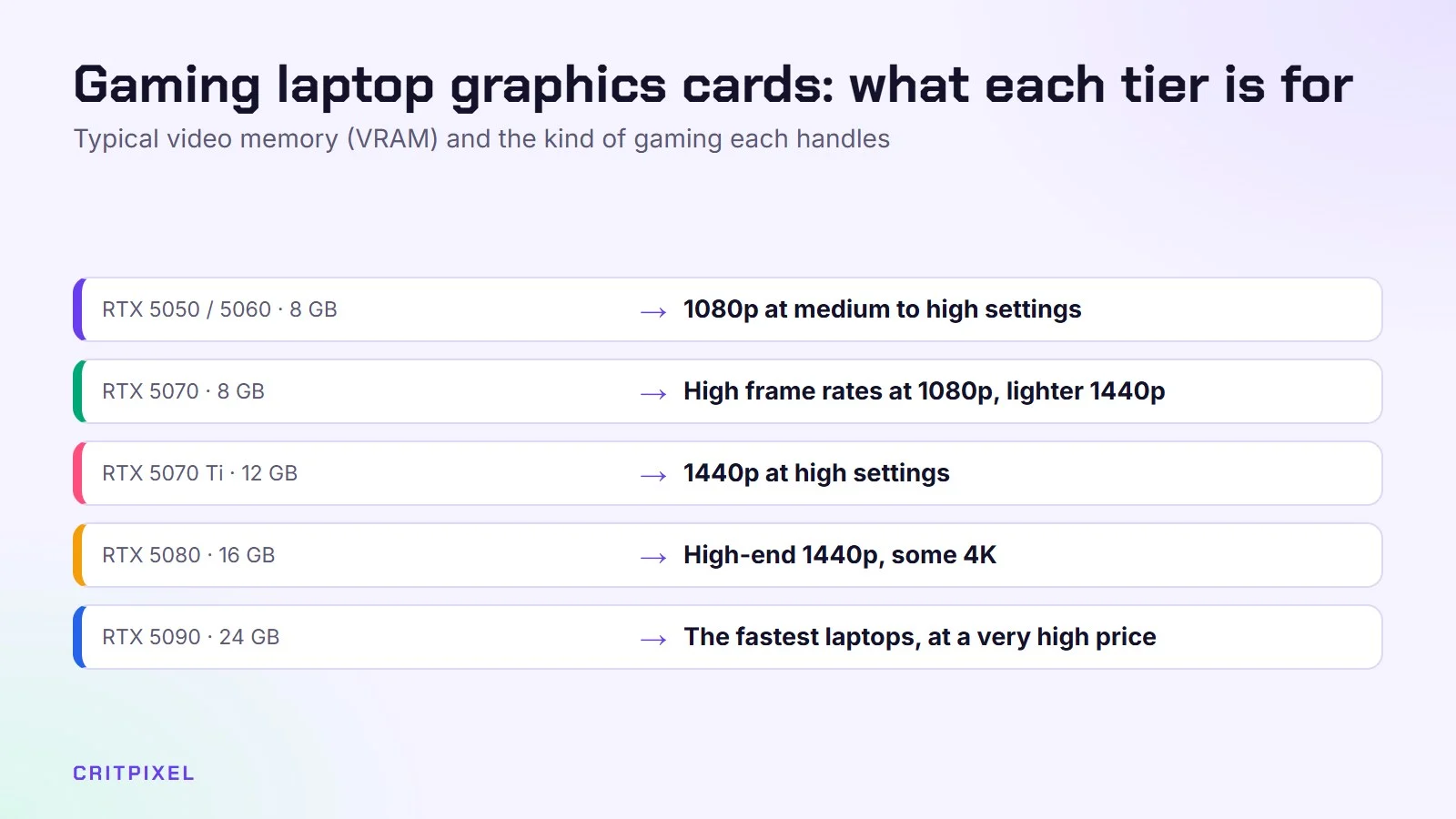
At the moment, most gaming laptops use NVIDIA’s GeForce RTX 50 series laptop GPUs. Here is a simple way to think about the tiers:
| GPU tier | Typical video memory (VRAM) | Good for |
|---|---|---|
| RTX 5050 / 5060 | 8 GB | 1080p gaming at medium to high settings |
| RTX 5070 | 8 GB | Higher frame rates at 1080p, lighter 1440p gaming |
| RTX 5070 Ti | 12 GB | 1440p at high settings |
| RTX 5080 | 16 GB | High-end 1440p, some 4K |
| RTX 5090 | 24 GB | The fastest laptops, at a very high price |
VRAM matters more than many people think. New games with high-quality textures can fill 8 GB quickly. If you play the latest big releases and plan to keep the laptop for years, 12 GB or more is a safer choice.
A laptop GPU is not the same as the desktop card with the same name. A laptop RTX 5070 is usually clearly slower than a desktop RTX 5070.
2. Check the GPU wattage (TGP)
This is the most important detail, and shops often leave it out. TGP (Total Graphics Power) is how much power, in watts, the laptop maker lets the GPU use. Laptop makers can set this within a range, and more watts usually means more performance.
For example, NVIDIA lets makers run the laptop RTX 5080 anywhere from about 80 W to 150 W. A thin laptop running the GPU at the low end can be slower than a thicker laptop with a “lower” GPU running at full power.
How to find the TGP:
- Look on the laptop maker’s official spec page, not only the shop listing.
- Search for “TGP” or “maximum graphics power” in reviews.
- On a laptop you already own, the System Information window in the NVIDIA Control Panel lists the maximum graphics power.
If you can’t find the TGP anywhere, be careful. It is often low.
3. The processor (CPU)
For gaming, the CPU matters less than the GPU, but a weak one will hold back a fast graphics card. Look for:
- Intel: Core Ultra 7 or 9 “HX” or “H” chips, or recent Core i7/i9 HX chips
- AMD: Ryzen 7 or 9 “HX” or “HS” chips
The letters matter. “HX” chips are the most powerful but use more power. “U” chips are made for thin office laptops and are a poor match for a gaming GPU. A mid-range CPU with a strong GPU is better for games than the opposite.
4. RAM and storage
- RAM: 16 GB is the minimum for gaming in 2026. 32 GB is nice if you also stream, edit video or keep lots of browser tabs open. Make sure it runs in dual-channel (two sticks or soldered dual-channel memory), because single-channel memory can noticeably lower performance.
- Storage: Get at least 1 TB SSD. Big games today can take more than 100 GB each, and a 512 GB drive fills up fast.
5. The screen: resolution and refresh rate
Match the screen to the GPU. A sharp screen is wasted if the GPU can’t run games at that resolution.
| Screen | Best match |
|---|---|
| 1080p, 144 Hz | RTX 5050 / 5060, budget laptops |
| 1440p (or 2560×1600), 165–240 Hz | RTX 5070 and above, the sweet spot for most people |
| 4K or very high refresh OLED | RTX 5080 / 5090, if you also want great HDR and colours |
Other things to check:
- Brightness: around 300 nits or more for indoor use
- Colour coverage: “100% sRGB” is good; “45% NTSC” usually means a dull, washed-out panel
- G-Sync or adaptive sync: removes tearing, very nice to have
- OLED: amazing contrast, but static images can cause burn-in over many years
Want to understand screens in more depth? Our guide on how to choose a gaming monitor explains refresh rates and panel types.
6. Cooling and noise
A gaming laptop turns power into heat. If the cooling can’t handle it, the laptop slows itself down (thermal throttling). Thin laptops look great, but they are often louder and hotter.
Look for reviews that measure fan noise and temperatures under load, not only frame rates. Most gaming laptops let you switch between quiet, balanced and performance modes in the maker’s own app.
Quick check: Look for reviews that test fan noise and temperatures during a long gaming session, not only a short benchmark. Heat and noise often rise after the laptop has been under load for a while.
7. Weight and battery life
Be realistic: almost no gaming laptop plays demanding games well on battery. On battery, performance drops a lot and the battery may last only an hour or so in games.
- Under 2 kg: easy to carry every day, usually less powerful
- 2–2.5 kg: a good balance for most people
- Over 2.5 kg: often the best cooling and performance, but heavy, with a large power brick
Don’t forget the charger. Powerful laptops often come with a big, heavy power adapter.
8. Ports and connections
Check that the laptop has what you need:
- HDMI 2.1 if you want to connect a high refresh rate TV or monitor
- USB-C with DisplayPort and charging for flexible connections
- Ethernet port for stable online gaming (see how to lower ping and fix lag)
- Wi-Fi 6E or Wi-Fi 7 for fast wireless
- A headphone jack if you use a wired headset
A useful extra is a MUX switch or “Advanced Optimus”. It lets the GPU send images straight to the screen, which can improve frame rates in some games.
9. Upgradeability
On many laptops you can still upgrade:
- RAM, if it uses removable SODIMM or CAMM modules (many thin laptops have soldered RAM that can’t be changed)
- Storage, often with a second free M.2 SSD slot
The GPU and CPU are almost never upgradeable. Check reviews or the maker’s manual before buying if upgrades matter to you.
10. Budget tiers
Prices change often, and memory prices in particular have moved a lot recently, so use these as rough guides rather than fixed rules.
| Budget | What to expect |
|---|---|
| Entry (around €800–1,100 / $800–1,100) | RTX 5050 or 5060, 1080p screen, 16 GB RAM, 512 GB–1 TB SSD |
| Mid-range (around €1,200–1,800 / $1,200–1,800) | RTX 5060 at high wattage or RTX 5070, 1440p 165 Hz screen, 16–32 GB RAM, 1 TB SSD |
| High-end (around €2,000–3,000 / $2,000–3,000) | RTX 5070 Ti or 5080, high-quality 1440p or OLED screen, 32 GB RAM |
| Enthusiast (above that) | RTX 5090, top cooling and screens |
Tip: Set your maximum budget before you compare models, and keep a little money aside for extras such as a mouse, a headset or a second SSD. If you can wait, big sales periods often bring discounts on the previous year’s models.
Quick checklist before you buy
- GPU tier fits your games and screen resolution
- GPU TGP is listed and not at the very low end
- CPU is an H, HS or HX chip, not a U chip
- At least 16 GB dual-channel RAM and 1 TB SSD
- Screen: 144 Hz or more, good brightness and colour coverage
- Reviews show acceptable noise and temperatures
- Ports you need are on the laptop
- Weight and charger size fit your daily life
If you already have a laptop and it struggles, try our free fixes for a weak laptop before you buy a new one.
From PixelAlex: Pay close attention to cooling and fan noise in reviews. They make a big difference in long sessions, but are easy to overlook in a spec sheet.
Read next: Gaming laptop vs desktop: which is right for you? · Gaming laptop settings to change first
Quick answers
Is a gaming laptop better than a gaming PC? For the same money, a desktop is faster, quieter and easier to upgrade. A laptop only makes sense if you need to move it. Our guide on how to build a gaming PC shows the desktop option.
Is 8 GB of VRAM enough in 2026? For 1080p and esports games, yes. For the newest big games at high settings and 1440p, 12 GB or more is a safer choice.
Can I game on battery? Light and older games, yes. Demanding games run much slower on battery, so plug in.
How long does a gaming laptop last? Many last four to six years for gaming if you are happy to lower settings over time. A better GPU and more VRAM help it age well.



Leave a Reply