Handheld gaming PCs let you play your PC library on the sofa, in bed or on a train. But there are now many models, and they are very different. Some run SteamOS, some run Windows, and one popular alternative is not a PC at all. Here is how the main options compare.
The quick comparison
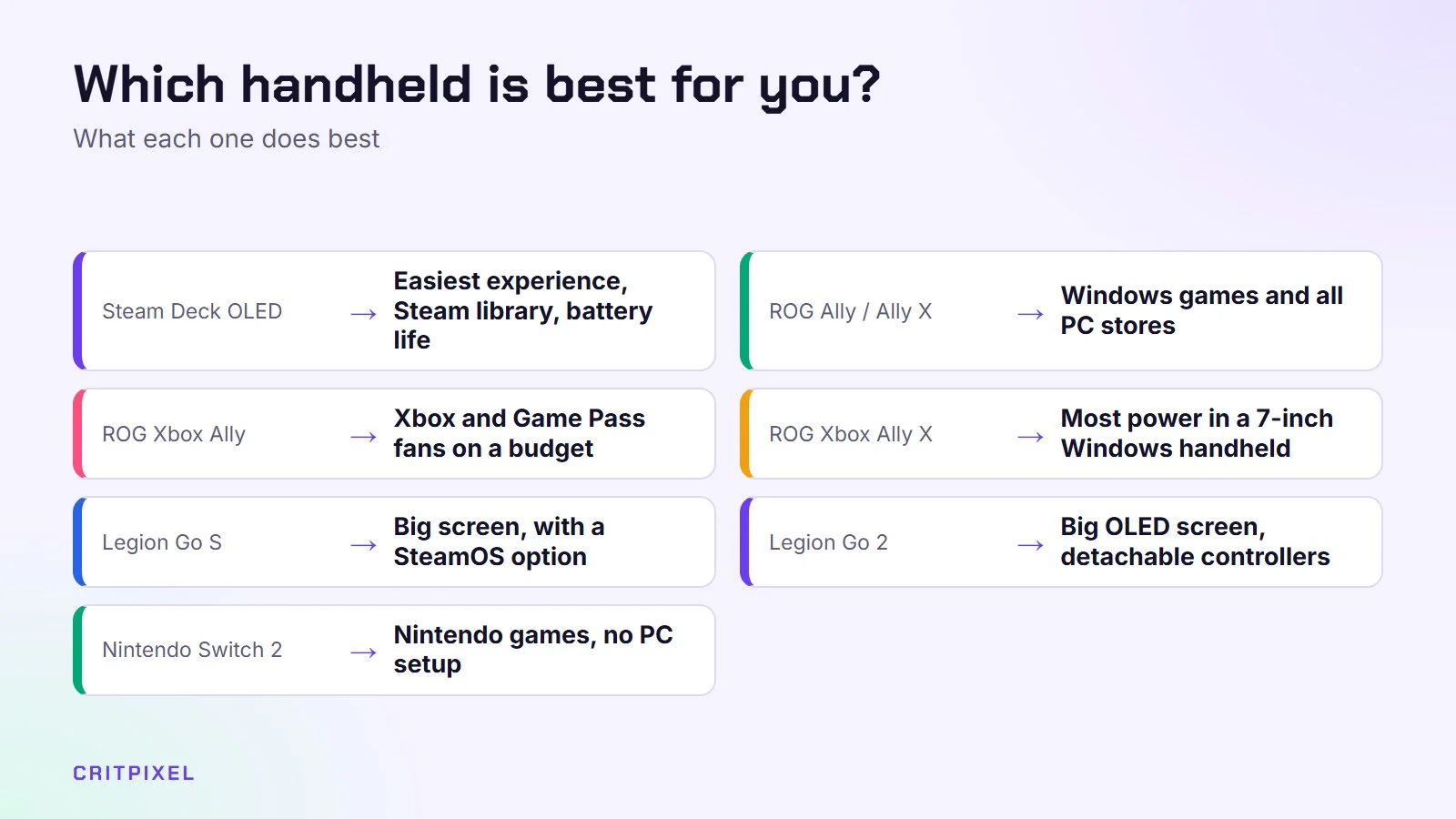
| Handheld | Operating system | Screen | Chip | Best for |
|---|---|---|---|---|
| Steam Deck OLED | SteamOS | 7.4-inch OLED, 1280×800, up to 90 Hz, HDR | Custom AMD APU | Easiest experience, Steam library, battery life |
| ROG Ally / Ally X (2023–2024) | Windows 11 | 7-inch IPS, 1080p, 120 Hz | AMD Ryzen Z1 / Z1 Extreme | Windows games and all PC stores |
| ROG Xbox Ally | Windows 11 with Xbox full screen experience | 7-inch IPS, 1080p, 120 Hz | AMD Ryzen Z2 A | Xbox and Game Pass fans on a budget |
| ROG Xbox Ally X | Windows 11 with Xbox full screen experience | 7-inch IPS, 1080p, 120 Hz | AMD Ryzen AI Z2 Extreme | Most power in a 7-inch Windows handheld |
| Legion Go S | Windows 11 or SteamOS | 8-inch IPS, 1920×1200, 120 Hz | AMD Ryzen Z2 Go or Z1 Extreme | Big screen with SteamOS option |
| Legion Go 2 | Windows 11 (SteamOS version announced) | 8.8-inch OLED, 1920×1200, 144 Hz | AMD Ryzen Z2 or Z2 Extreme | Big OLED screen, detachable controllers |
| Nintendo Switch 2 | Nintendo’s own system | 7.9-inch LCD, 1080p, up to 120 Hz, HDR | Custom NVIDIA chip | Nintendo games, no PC setup |
Specs can differ between regions and configurations. Always check the exact model, memory and storage on the maker’s official page before buying.
Steam Deck OLED: the easy choice
Valve’s Steam Deck runs SteamOS, a Linux-based system built for handheld gaming. You turn it on, sign in to Steam and play. Valve’s Proton technology runs most Windows games, and Steam shows a “Verified” or “Playable” badge so you know what to expect.
The OLED model has a 7.4-inch HDR screen with deep blacks and a refresh rate of up to 90 Hz, plus a 50 Wh battery. Its resolution (1280×800) is lower than on most rivals, but this also means the chip has less work to do, which helps battery life and performance.
The LCD model has been discontinued. Valve ended the last LCD version (256 GB) in December 2025, so new Steam Decks are now OLED only, in 512 GB and 1 TB versions. You may still find used LCD units.
Good to know:
- Some multiplayer games with strict anti-cheat do not run on SteamOS
- Games from Xbox Game Pass and some other stores are harder to use
- It is the least powerful device here, but very well optimised
ROG Ally and Ally X: Windows in your hands
ASUS’s original ROG Ally (2023) and ROG Ally X (2024) run full Windows 11. That means every PC store works: Steam, Epic, Xbox app, Battle.net, EA and more. It also means games with anti-cheat that blocks Linux usually run.
Both have a sharp 7-inch 1080p screen at 120 Hz. The Ally X improved the weakest point of the original: it has a much bigger 80 Wh battery, 24 GB of memory and 1 TB of storage, with the same Ryzen Z1 Extreme chip.
The downside is Windows itself. It was built for a mouse and keyboard, so menus and updates can feel clumsy on a small touchscreen.
ROG Xbox Ally and Ally X: the 2025 models
In October 2025, ASUS and Microsoft released two new handhelds: the ROG Xbox Ally and the ROG Xbox Ally X. They still run Windows 11, but they start in a full-screen Xbox experience. It is designed for a controller and reduces some of Windows’ background clutter.
- ROG Xbox Ally: Ryzen Z2 A chip, 16 GB memory, 512 GB storage, 60 Wh battery
- ROG Xbox Ally X: Ryzen AI Z2 Extreme chip, 24 GB memory, 1 TB storage, 80 Wh battery
Both have a 7-inch 1080p 120 Hz IPS screen and new grips inspired by the Xbox controller. The Xbox Ally X is one of the most powerful handhelds available. The base Xbox Ally is closer to a Steam Deck in power, so check whether the games you want run well on it.
Don’t mix them up: the 2024 ROG Ally X and the 2025 ROG Xbox Ally X are different devices with different chips.
Lenovo Legion Go S and Legion Go 2: big screens
Lenovo goes bigger. The Legion Go S has an 8-inch 1920×1200 screen at 120 Hz and a 55.5 Wh battery. It is special because you can buy it with Windows 11 or SteamOS. The SteamOS version is the first handheld from another company to ship officially with Valve’s system.
The Legion Go 2 (2025) is the big premium option. It has an 8.8-inch OLED screen at up to 144 Hz with variable refresh rate, Ryzen Z2 or Z2 Extreme chips, and a 74 Wh battery. Like the original Legion Go, its controllers can detach, so you can put the screen on its kickstand and play with a controller in each hand.
Good to know: bigger screens mean bigger, heavier devices. The Legion models are less comfortable to hold for long sessions. They work better on a table with the stand.
Tip: For long trips, pack a USB-C power bank that supports Power Delivery (PD). Check its wattage first, because a low-power bank may only slow down the battery drain while you play.
Nintendo Switch 2: the non-PC alternative
The Nintendo Switch 2 launched on 5 June 2025. It is not a PC, so it can’t run your Steam library. But if you mainly want Mario, Zelda, Pokémon and other Nintendo games, it is the simplest choice.
It has a 7.9-inch 1080p LCD screen with HDR and up to 120 Hz, 256 GB of storage (expandable with microSD Express cards) and can output up to 4K on a TV when docked. Games are designed for the hardware, so there is no settings menu to tweak.
How to choose
Ask yourself three questions:
- Where are your games? Mostly Steam: a Steam Deck or a SteamOS Legion Go S. Game Pass, Epic and many stores: a Windows handheld. Nintendo games: Switch 2.
- Do you play online games with strict anti-cheat? Some don’t work on SteamOS. Check each game before you buy. Windows handhelds are safer here.
- How much do you care about simplicity? SteamOS and Switch 2 just work. Windows handhelds give more freedom but need more tinkering.
Battery life depends heavily on the game, the screen brightness and the power mode. In demanding games, expect a couple of hours on most PC handhelds. Lighter and older games last much longer. A good list to start with is our best games for low-end PC, because those run beautifully on handhelds.
Quick check: Before you buy, look up the games you play most. Each game’s Steam store page shows its Steam Deck compatibility rating, and for Windows handhelds, recent reviews of the exact model and chip are the best guide.
Tips for any handheld gaming PC
- Lower the resolution and use upscaling such as FSR. Our guide to PC graphics settings explained shows which settings to change first.
- Cap the frame rate to 30 or 40 FPS to save battery and reduce heat.
- Use a fast microSD card or upgrade the SSD if you have a big library. Many PC handhelds use a standard M.2 2230 SSD.
- Keep Windows handhelds updated, including the maker’s own app (Armoury Crate on ASUS, Legion Space on Lenovo).
From PixelAlex: Before choosing a handheld, think about where you’ll play most: at home, while travelling, or both. That decides which strengths matter most for you.
Keep reading: Steam Deck settings to change, best games for travelling and PS5 vs Xbox vs Switch 2.
Read next: Steam Deck microSD card guide
Quick answers
What is the best handheld gaming PC for beginners? The Steam Deck OLED. It is the simplest to use and has the biggest library of tested games.
What is the most powerful handheld gaming PC? Models with the Ryzen Z2 Extreme chip, such as the ROG Xbox Ally X and the Legion Go 2 Z2 Extreme version, are among the fastest.
Can I play Game Pass on a Steam Deck? Only through cloud gaming in a browser, or by installing Windows yourself, which is not simple. A Windows handheld is the easier choice for Game Pass.
Is the Switch 2 a handheld gaming PC? No. It plays Nintendo Switch and Switch 2 games, not PC games.
Leave a Reply