GTA 6 lands on 19 November 2026 for PS5 and Xbox Series X|S. Launch days for huge games are always a bit chaotic, with busy servers, giant downloads and spoilers everywhere. A little preparation now means you’ll be playing while everyone else is still watching a progress bar.
From PixelAlex: I’m buying GTA 6 on day one, the digital version on PS5, so I’m going through this same checklist myself before 19 November. Counting down together!
Each step below includes the exact menu path for PS5 and Xbox where it matters. Most take only a few minutes, and you can do them this weekend.
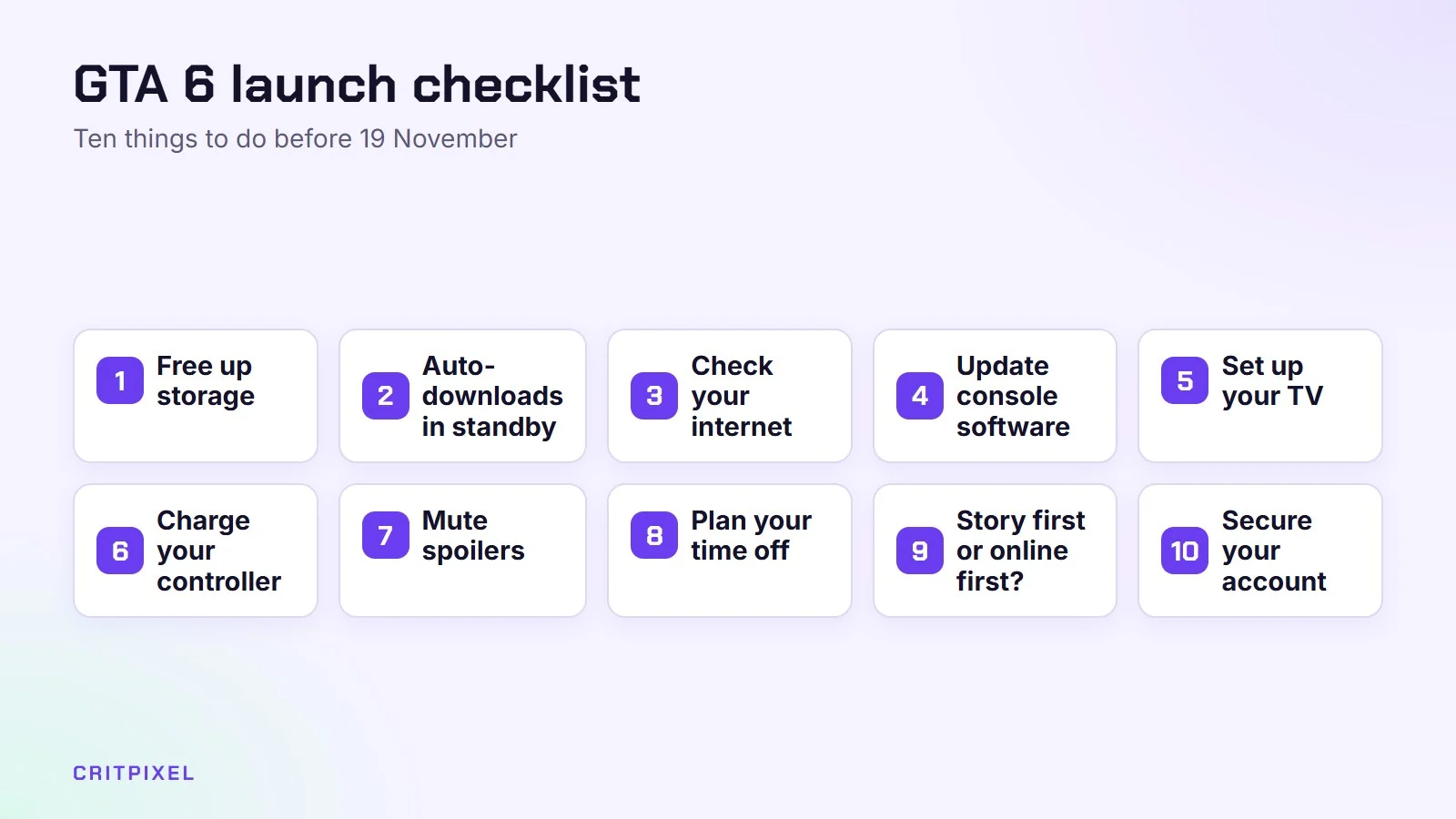
1. Free up storage now
Rockstar hasn’t officially confirmed the file size, but reports put it at around 210 GB. Clear at least 250 GB to be safe, and do it early:
- PS5: Settings → Storage → Console Storage → Games and Apps. Delete what you’re not playing. You can always download it again.
- Xbox: My games & apps → Manage → free up space.
If you’re always running out of room, a PS5-compatible M.2 SSD or an Xbox storage expansion card is the cleanest fix.
What to delete first
- Games you finished months ago and won’t replay soon
- Large games you can reinstall quickly from a disc
- Old video clips and screenshots, which can quietly use a lot of space
Your saves are usually kept separately from the game itself. Even so, check that they are backed up before you delete anything you care about.
2. Turn on auto-downloads in standby
If you pre-ordered digitally, let the console download the pre-load while you sleep.
- PS5: Settings → System → Power Saving → Features Available in Rest Mode → turn on Stay Connected to the Internet.
- PS5 auto-install: Settings → Saved Data and Game/App Settings → Automatic Updates → turn on Auto-Download and Auto-Install in Rest Mode.
- Xbox: Settings → General → Power options → choose Sleep so it can update in the background.
Pre-loading for digital copies starts on 12 November 2026, one week before launch, according to Rockstar’s support information as reported by several major outlets. Check your console’s store page that week to confirm.
Start downloads from your phone
On PlayStation, the PlayStation App can send a download to your PS5 while you are away. For this to work, the console must be in rest mode with Stay Connected to the Internet switched on. This is the same setting as above. So if the pre-load opens while you are at work, you can start it from your phone.
3. Check your internet connection
A wired connection (an Ethernet cable from router to console) is faster and more stable than Wi-Fi for big downloads. If you can’t run a cable, move the console closer to the router or use the 5 GHz Wi-Fi network.
Test your connection now, so you know what to expect:
- PS5: Settings → Network → Connection Status → Test Internet Connection
- Xbox: Settings → General → Network settings → Test network speed & statistics
To estimate the wait, divide the file size by your download speed. If the result is many hours, start the pre-load the moment it is available and avoid other big downloads that week.
4. Update your console software
Install any system updates now, not on launch night when everyone else is doing the same.
Accept controller updates too when the console offers them. They are small and can fix connection or battery problems.
5. Set up your TV properly
- Turn on your TV’s Game Mode to reduce input lag.
- On PS5, run Settings → Screen and Video → Video Output → Adjust HDR.
- On Xbox, use the HDR Game Calibration app.
Two minutes of calibration makes a huge difference in a game full of sunsets and neon.
While you are in the TV menu, switch off picture “enhancements” such as motion smoothing and extra sharpening. They often add input lag and can make fast scenes look odd. For more console tweaks, see our guide to PS5 settings to change first.
6. Charge your controller (and find the cable)
It sounds obvious, but you’ll be glad you did it. If your controller drifts or the battery dies quickly, now is the time to sort it out.
On PS5, the console can charge controllers while it sleeps. Go to Settings → System → Power Saving → Features Available in Rest Mode → Supply Power to USB Ports. You can choose to supply power all the time, or for three hours after the console enters rest mode.
If the analogue stick moves on its own, our guide on how to fix controller stick drift explains what you can try before paying for a repair.
7. Mute spoilers on social media
Story leaks always appear online within hours of launch. On X (Twitter) you can add muted words such as “GTA 6 ending”, “Lucia” and “Jason” under Settings → Privacy and safety → Mute and block → Muted words. Be careful with YouTube recommendations and Reddit for the first few weeks.
The PS5 has its own spoiler shield. Go to Settings → Saved Data and Game/App Settings → Spoiler Warnings. It can warn you before showing screenshots or videos from parts of a game you haven’t reached, or content that developers flag as a spoiler. It only works where game data supports it, so don’t rely on it alone.
8. Plan your time off
If you can, take the day off or plan a quiet weekend. GTA games are best played in long sessions where you can explore without rushing.
Prepare some practical things too: food in the fridge, a comfortable chair, and a reminder to take breaks. The game will still be there after a walk outside.
9. Decide: story first or online first?
Rockstar hasn’t shared full details about online play for GTA 6 yet. Most players will start with the story anyway, and doing the same helps you avoid launch-week server trouble.
The story also teaches you the controls, the map and the characters before you face other players.
10. Secure your account
Launch week is prime time for scammers. Fake “early access” messages, free “GTA 6 money” offers and phishing links all spike around big releases.
- Turn on two-step verification for your PlayStation or Microsoft account
- Never log in through a link someone sent you
- Ignore anyone offering in-game money or items for your password
Our guide to protecting your gaming accounts walks you through each platform.
Bookmark our guides
We will publish beginner tips and guides as soon as the game is out. Start with our release date and price guide for the latest confirmed details, and read our characters and map guide for a spoiler-light introduction to Leonida.
Quick check: A few days before launch, open the GTA 6 page in your console’s store. Make sure it shows the game as purchased on the account you will play on. This catches payment or account mix-ups before launch night.
Launch-day troubleshooting
Even with good preparation, things can go wrong. Here is what to try first.
| Problem | What to try |
|---|---|
| Download is very slow | Pause other downloads, use a cable, then restart the console |
| Game won’t start after download | Check for a day-one update and install it |
| Can’t connect to online services | Check the official PlayStation Network or Xbox status page before changing settings |
| Disc version still needs a big download | This is normal for many new games, so leave it running |
| Store says you don’t own the game | Make sure you are signed in to the account that bought it |
If the servers are struggling, play offline story missions and try online play later. Launch-day queues usually settle within a few days.
Quick checklist
| Task | Done? |
|---|---|
| Free up storage | ☐ |
| Auto-download in standby | ☐ |
| Connection tested | ☐ |
| Console updated | ☐ |
| TV Game Mode and HDR set | ☐ |
| Controller charged | ☐ |
| Spoiler words muted | ☐ |
| Two-step verification on | ☐ |
Ticked everything off with days to spare? Here are some games to play while you wait for GTA 6.
Official sources: Rockstar Games: Grand Theft Auto VI and the Rockstar Newswire. Always check them for the latest details.
Quick answers
How much space does GTA 6 need? Reports suggest around 210 GB, though Rockstar hasn’t officially confirmed it. Clear at least 250 GB to be safe.
When can I pre-load GTA 6? Digital pre-loading is reported to start on 12 November 2026. Confirm on your store page that week.
Will GTA 6 download in rest mode? Yes, if you turn on the standby settings above. On PS5 that means Stay Connected to the Internet; on Xbox, choose the Sleep power mode.
Do I need an online subscription for GTA 6? Single-player games on console normally don’t need one. Online multiplayer usually does, but Rockstar hasn’t shared full details for GTA 6’s online play yet.
Can I play GTA 6 on PS4? No. GTA 6 is only on PS5 and Xbox Series X|S. PC players will have to wait; see our GTA 6 PC release date guide.
Leave a Reply